How to reset your user password
The first step in using Versio.io is to log in to the web interface.
Newly created users will receive two emails from the Versio.io instance. The first e-mail informs you that you have been created as a user, and you can set your password using the link contained in the e-mail. Please note that the link is only valid for 2 hours! The second e-mail informs you which environment in Versio.io you now have access to. This e-mail also contains a link to the corresponding environment.
If the link to initially set your password has expired or you no longer have it to hand, you can reset the password for your user at any time. The following video shows the steps to be taken:
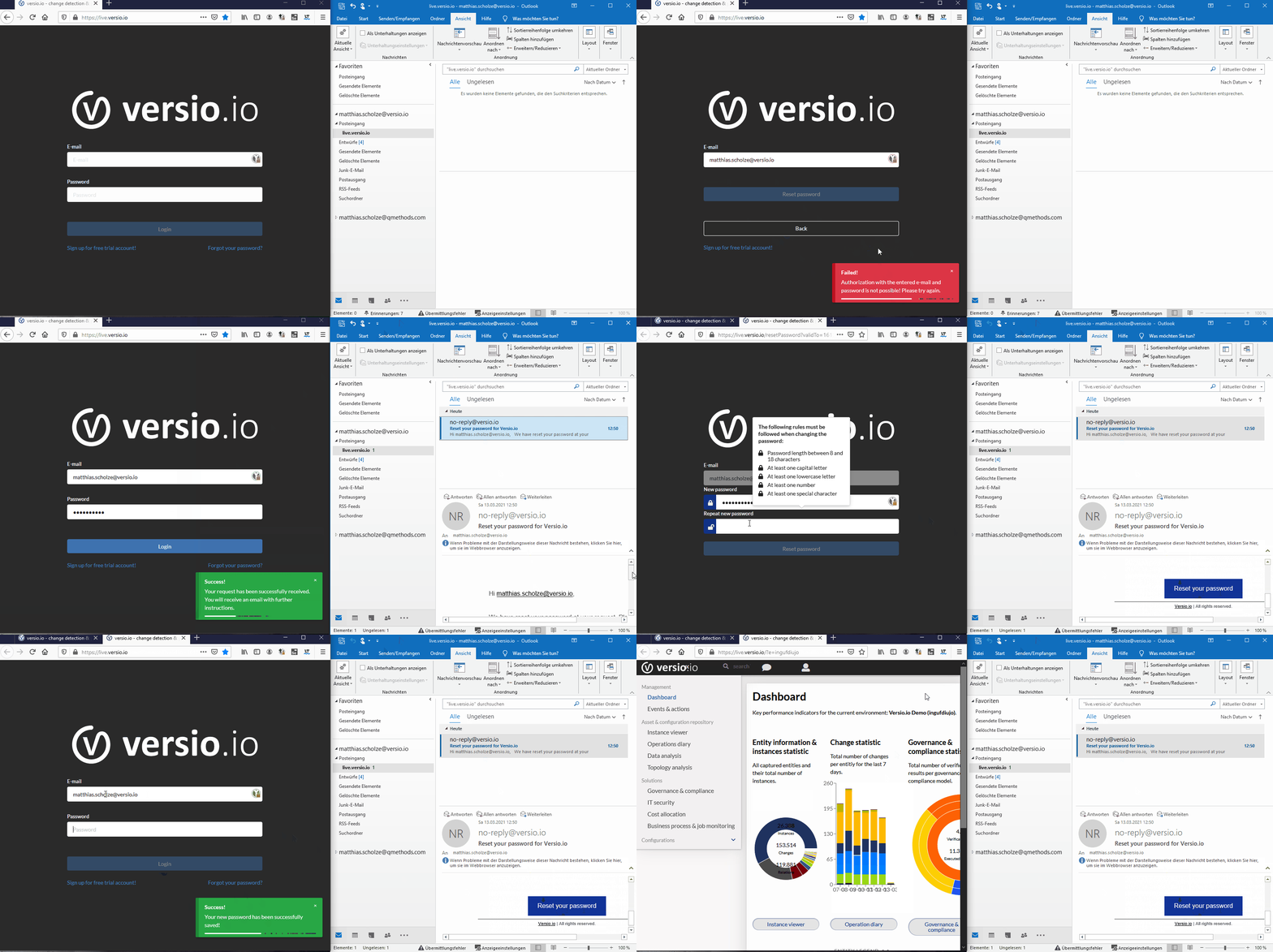
And now, good luck and enjoy working with Versio.io!