Application user inventory (AUI) importer
Versio.io can import, historize and process user data (including bots and synthetic monitoring) of web-based applications from end-user devices.
Configuration
You can find the configuration option in Versio.io at Environment settings -> One Importer -> Configuration -> Application User.
Here you can edit all existing configurations, create new configurations or delete existing configurations. To add a new configuration, enter a Name for your importer to clearly identify your Application User Inventory data. Note that the Entity suffix is fixed and cannot be changed afterwards.
Click Add to proceed to the configuration.
To edit an existing configuration, click the arrow on the left of your importer name to expand the configuration options.
The following configuration options are available:
| Field | Description | Advice |
|---|---|---|
| Name | Meaningful name | Add the phrase "Application User Inventory" to identify your importer when viewing the logs |
| Active | Option to activate and deactivate the configuration. Data is only imported if the configuration is activated. | |
| Real User, Bot, Synthetic | Activate to capture real user, bot or synthetic monitoring data | Every activated entity will have its own configuration |
| Entity name | Choose an entity suffix for the instances of real user, bot or synthetic monitoring | |
| ID composition | Choose the ID composition of the instances of real user, bot or synthetic monitoring | |
| Display name composition | Choose the display name composition of real user, bot or synthetic monitoring | |
| Mask IP | Choose an option to mask captured IP addresses of real user, bot or synthetic monitoring | The dropdown shows all available options |
| Detect geo location | Choose whether to detect the geolocation of real user, bot or synthetic monitoring | |
| Capture Data | ||
| JavaScript snippet | Will be generated and has to be embedded in the web application | |
| OneImporter / Proxy URL | The IP address of the executing OneImporter or the proxy URL used to reach the executing OneImporter | |
| Instance modification | Before saving an instance, it can be modified to adjust attribute names and values (mask, hash, delete, regex, rename). | |
| Executing OneImporter | Select a Versio.io OneImporter to import the data based on the importer configuration. | Requires an installed OneImporter: Installation instructions |
| Schedule time (cron format) | Determine the frequency of imports in CRON format | Learn more about CRON format: https://en.wikipedia.org/wiki/Cron |
Table: Application User Inventory configuration parameters
The following image is an example of an Application User configuration:
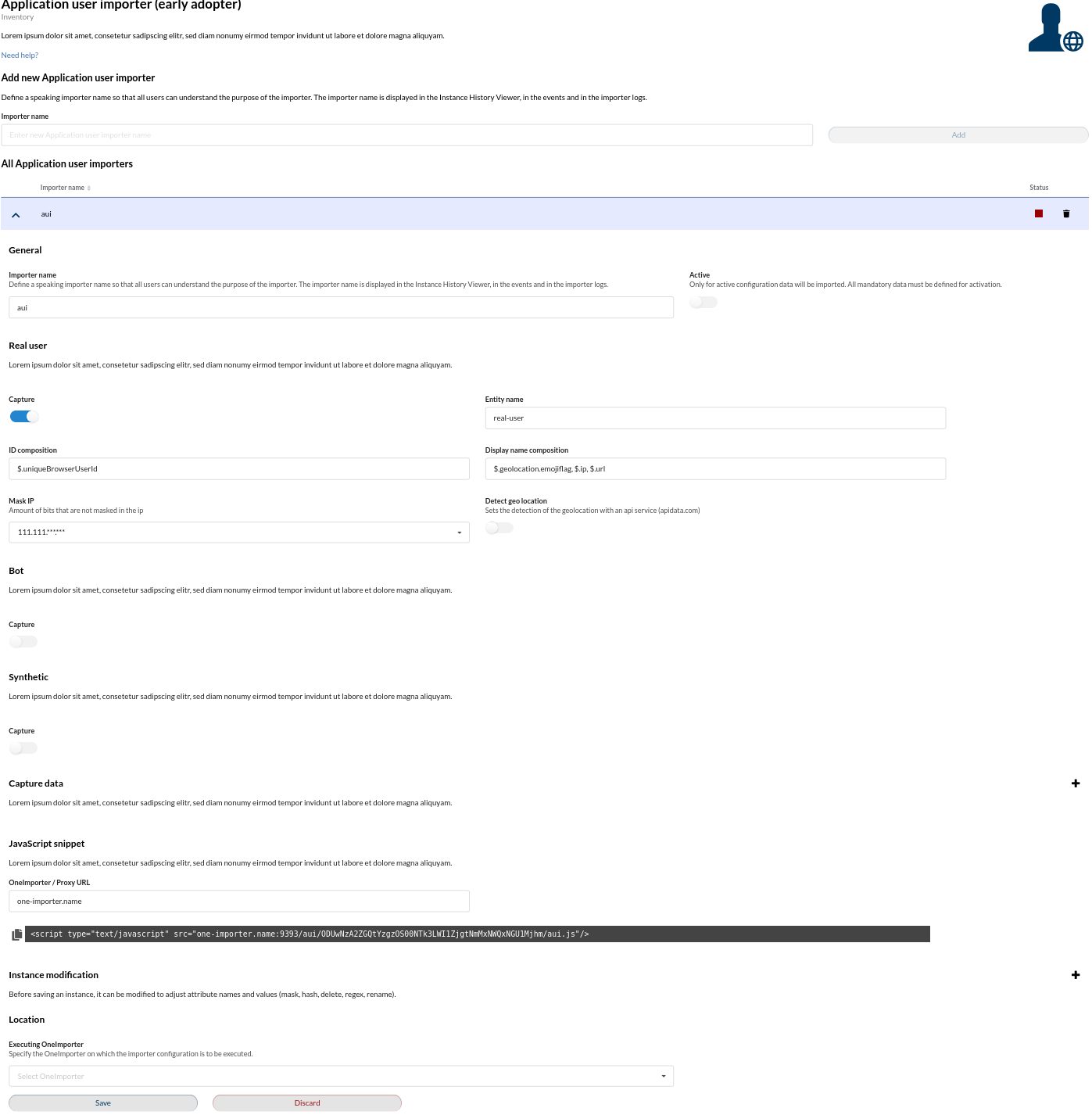
Example
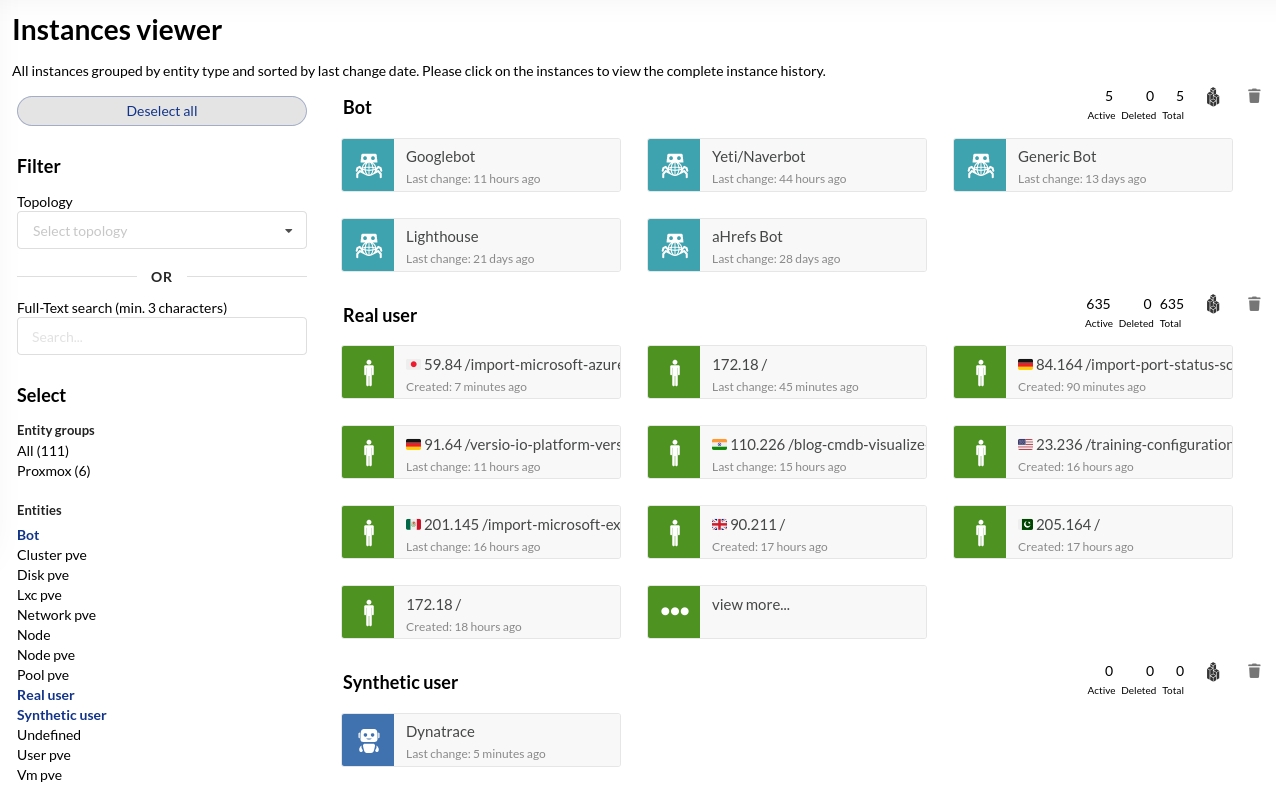
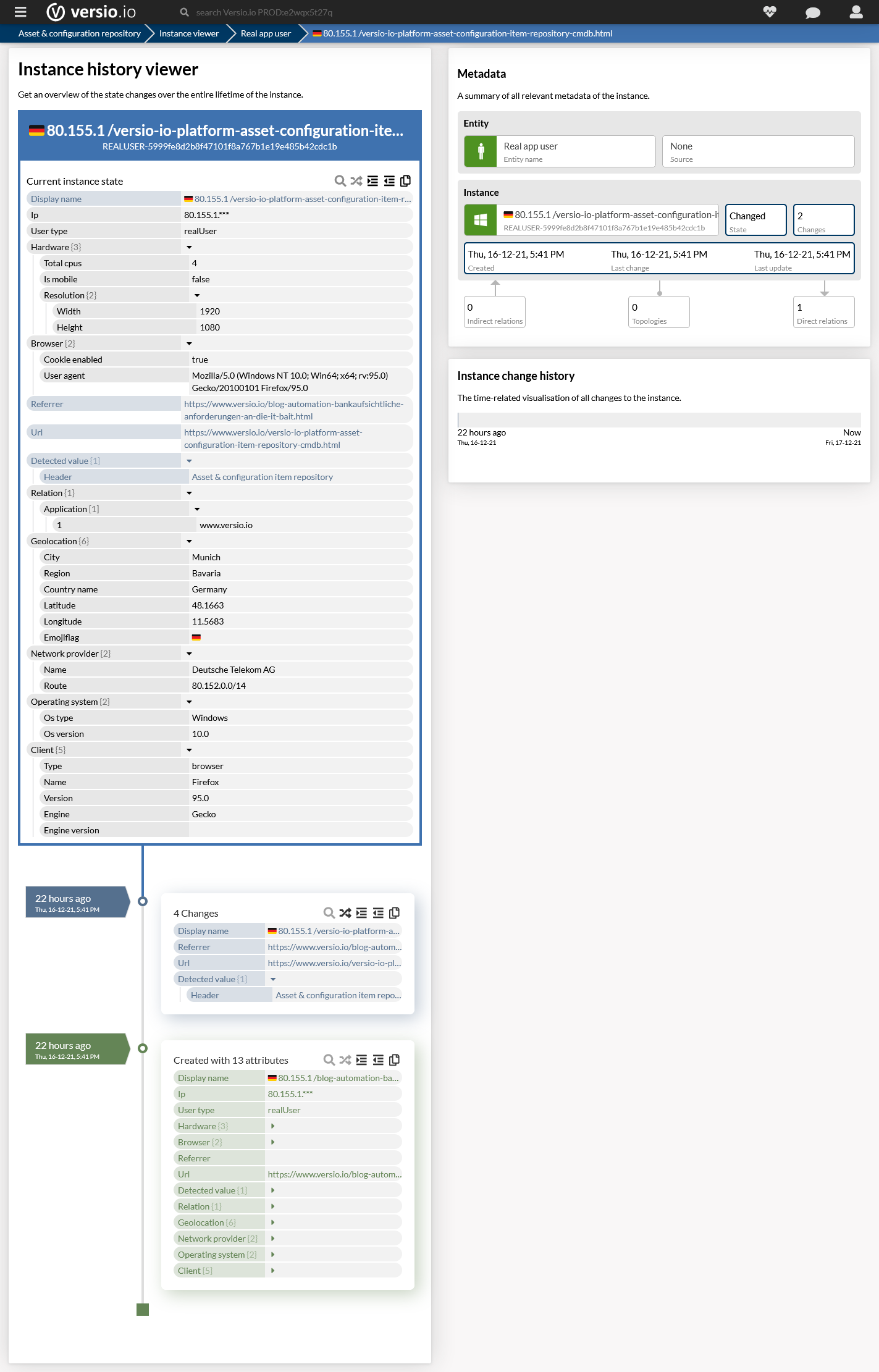
The Versio.io OneImporter imports Application User Inventory data based on a specific configuration into entities with a suffix defined by you (default: -aui). To view the imported instances in Versio.io,
select 'Analytics & reporting -> Topology Analysis'. There you can select your specific instance and click it for a detailed view in the instance history viewer.
The following image is an example of imported Application User Inventory data.