Operation diary
The operation diary solution enables you to learn more about the change history of your IT environment and monitoring configurations. You gain an overview of current changes as well as of changes of defined time periods. As the solution gathers all changes fully automatically, you can use them as high-quality evidence in an audit (e.g. European Central Bank, BaFin, ISO regulations).
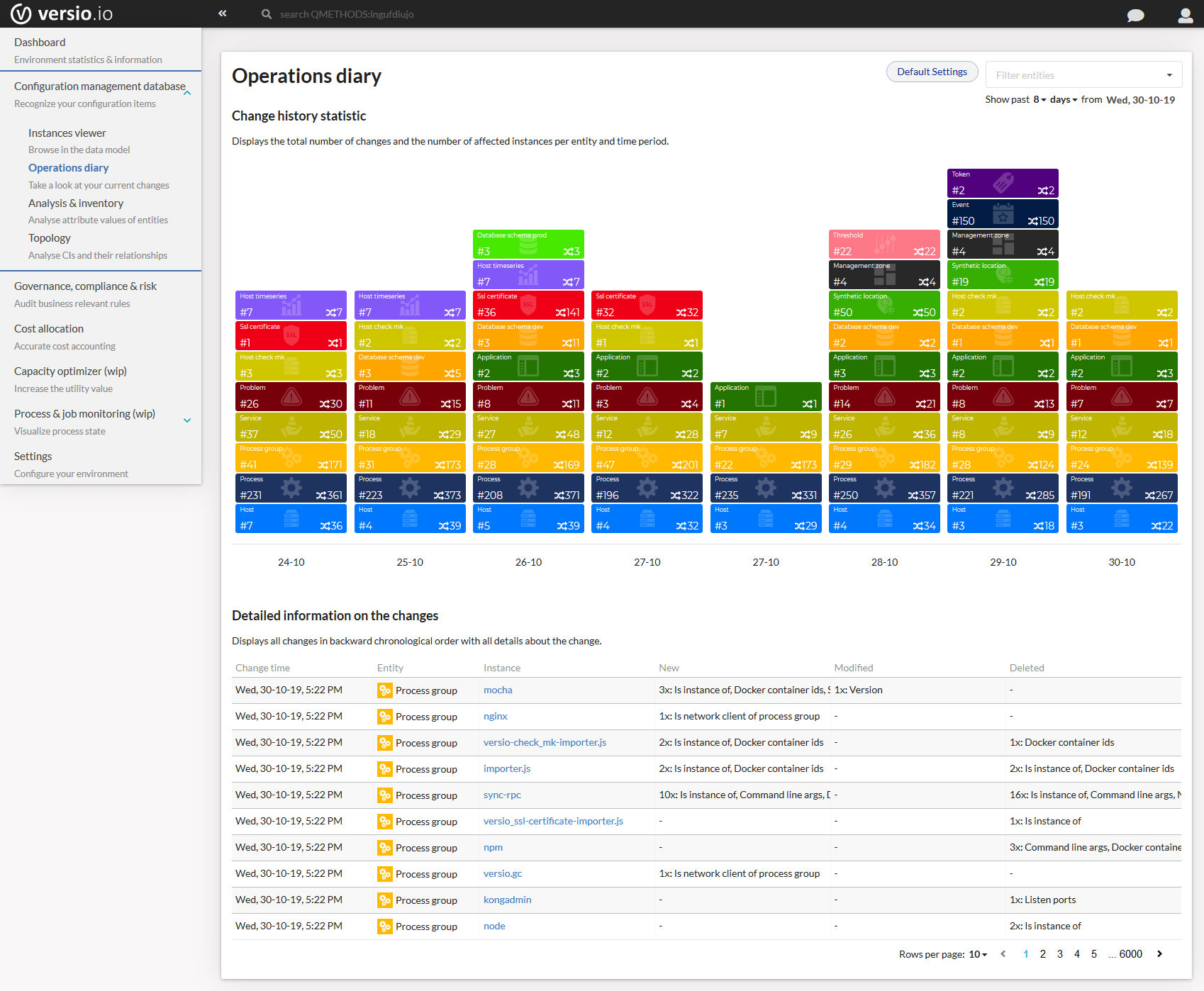
Image: Versio.io operation diary
The operation diary visualizes changes in two ways: For quick comprehension, the changes are visualized chronologically in a timeline. For a deeper insight, you find below the timeline a detailed table comprising all important information on the single changes.
Any change is visualized in a timeline beginning with the latest change and going backwards. You can define individual time periods for displaying current or past changes.
Change history statistic
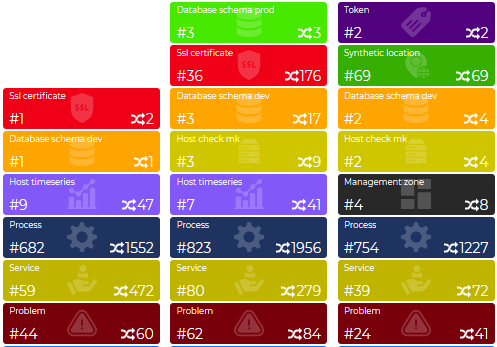
Image: Versio.io change history statistic
The timeline shows different boxes, each representing a configuration item type. By using different colours for different CI types, you can easily differentiate between CI types that have undergone a change during your set time period. The number next to the symbol # represents the number of affected CI types. The number next to the change symbol denotes the number of changes.
Change history details
The table provides you with a detailed view of any change occurring in your IT environment or monitoring configurations. Any modified configuration item type is listed including its affected configuration items as well as their changes. So, you can easily track any detail of one single change.
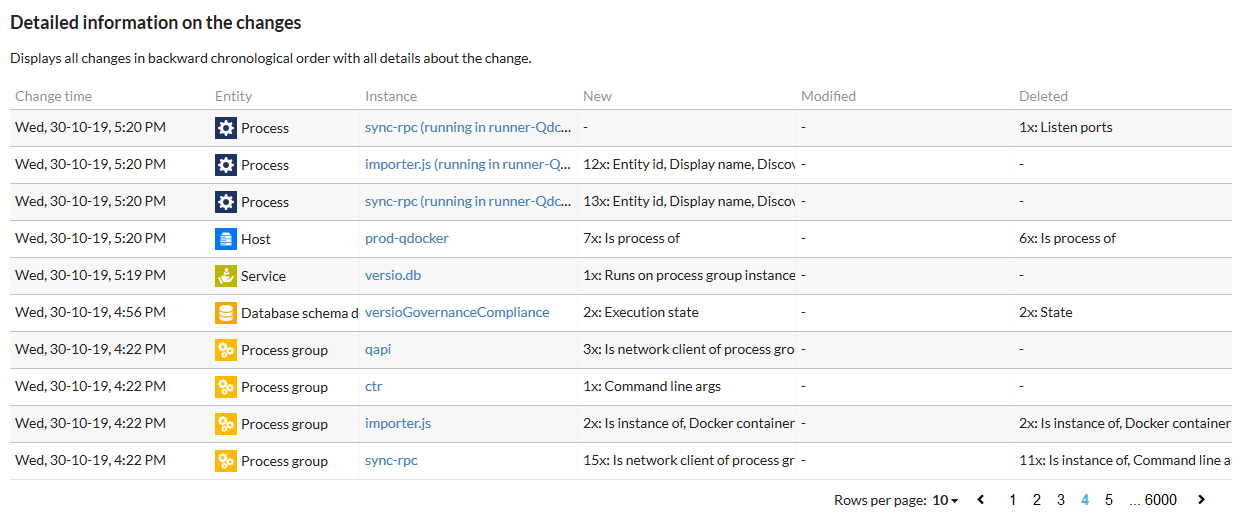
Image: Versio.io change history details
The first column of the table indicates the time of the change. Next to it, you find information about the entity. The third column specifies the exact instance. Via a deep link you can view the instance in the instance history viewer. The following three columns provide details about the changes. A distinction is made between new, modified and deleted information.