
Corroventa SuperVision importer
Versio.io can import, historize and process OT/IoT data from Corroventa SuperVision.
Configuration
You can find the configuration option in Versio.io at Environment settings > OneImporter > Configurations > Corroventa SuperVision.
Here you can edit all existing configurations, create new configurations or delete existing configurations.
To add a new configuration, enter a Name for your importer and an Entity suffix (default: -corroventa) to clearly identify your Corroventa SuperVision entities.
Note that the Entity suffix is fixed and cannot be changed afterwards.
Click Add to proceed to the configuration.
To edit an existing configuration, click the arrow on the left of your importer name to expand the configuration options.
The following configuration options are available:
| Field | Description | Advice |
|---|---|---|
| Importer name | Meaningful name | Add the word "Corroventa" to identify the importer when viewing the logs |
| Active | Option to activate and deactivate the configuration. Data is only imported if the configuration is activated. | |
| Server URL | Server URL of the Corroventa SuperVision portal | |
| Credential (API token) | API token for API access | Create the API token in the Corroventa SuperVision portal. |
| Entities | Select all required entities | |
| Instance modification | Before saving an instance, it can be modified to adjust attribute names and values (mask, hash, delete, regex, rename). | |
| Executing OneImporter | Select a Versio.io OneImporter to import the data based on the importer configuration. | Requires an installed OneImporter: Installation instructions |
| Schedule time (cron format) | Determine the frequency of imports in CRON format | Learn more about CRON format: https://en.wikipedia.org/wiki/Cron |
Table: Corroventa SuperVision configuration parameters
The following image is an example of a Corroventa SuperVision importer configuration:
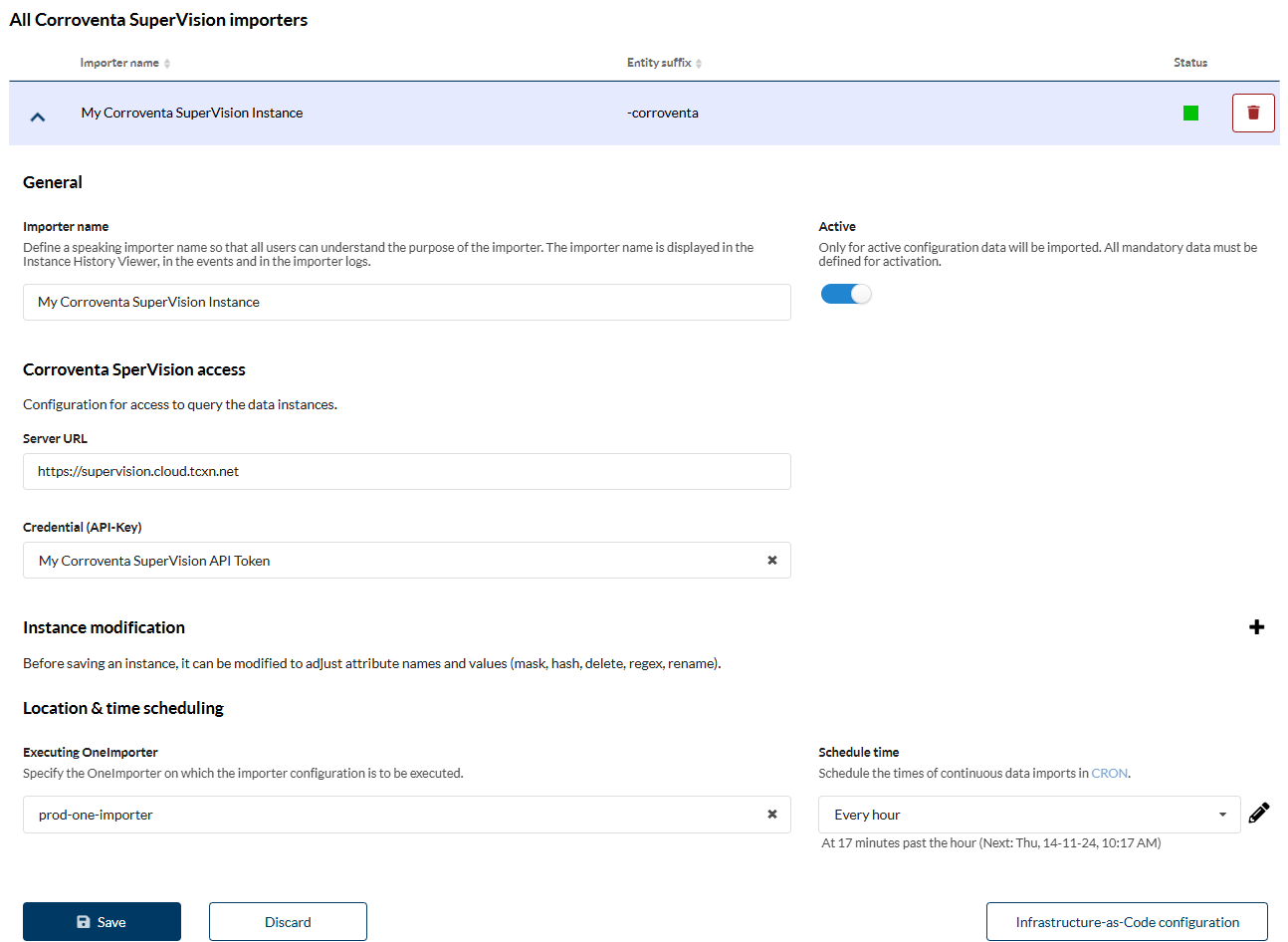 Figure: Example of a Versio.io Corroventa SuperVision importer configuration