
TOPdesk incident integration
Versio.io can automatically create first-level and second-level incidents based on events.
Configuration
You can add a TOPdesk alerting action in the alerting configuration in Versio.io at Environment settings > Alerting & actions.
Here you can edit existing alerts and actions, create new ones or delete existing ones. To add a new TOPdesk action, select the TOPdesk type and click the "+" button.
The following configuration options are available:
| Field | Description | Example |
|---|---|---|
| TOPdesk server URL | Domain of your TOPdesk environment | europe-demo-145.topdesk.net |
| Caller e-mail | E-mail of an existing TOPdesk user who will be the creator of the incident | luc.bach@topdesk.de |
| Status | Define if it is a first or second line incident | First line |
| Entry | Name of an existing TOPdesk entry | Versio.io |
| Incident type | Name of an existing TOPdesk incident type | Governance |
| Credential | Select an existing credential stored inside the Versio.io credential vault. The credential should contain a TOPdesk username and a corresponding application password. |
TOPdesk documentation |
Table: TOPdesk integration configuration parameters
Click Save to apply the modifications.
The following image is an example of a TOPdesk configuration:
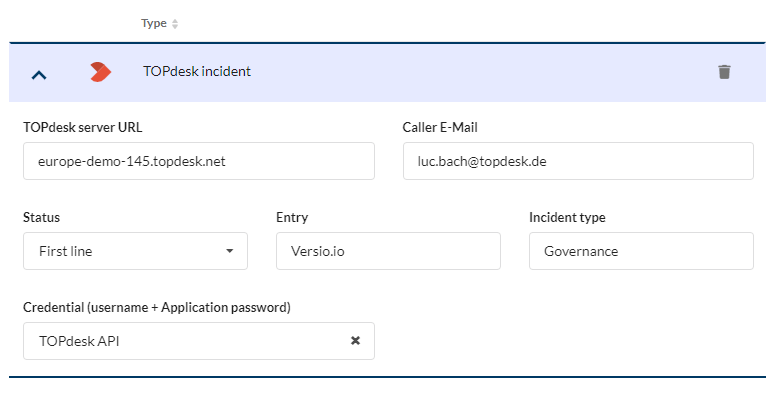
Figure: Example of a Versio.io TOPdesk integration configuration