
Generic REST API content importer
Versio.io can import, historize and process generic REST API content.
Configuration
You can find the configuration option in Versio.io at Environment settings > OneImporter > Configurations > Generic REST API.
Here you can edit all existing configurations, create new configurations or delete existing configurations.
To add a new configuration, enter a Name and click Add to proceed to the configuration.
To edit an existing configuration, click the arrow on the left of your importer name to expand the configuration options.
The following configuration options are available:
| Field | Description | Advice |
|---|---|---|
| Name | Meaningful name | Include the API name/type |
| Active | Option to activate and deactivate the configuration. Data is only imported if the configuration is activated. | |
| Entity name | Name of the entity that imported instances are assigned to | Determine standards about entity names before your first import |
| Method | Select what you would like to do: read (GET), create (POST) or update (PUT) | |
| URL | Specify the URL of the target API | |
| Response format | Select the data format of the object from the response | |
| JSON path to the array containing the objects to be imported | Specify the array within the object to filter for specific information | |
| JSON path to the unique ID within the object | Specify the object within the object to filter for specific information | |
| Executing OneImporter | Select a Versio.io OneImporter to import the data based on the importer configuration. | Requires an installed OneImporter: Installation instructions |
| Schedule time (cron format) | Determine the frequency of imports in CRON format | Learn more about CRON format: https://en.wikipedia.org/wiki/Cron |
Table: Generic REST API content configuration parameters
The following image is an example of a generic REST API content configuration:
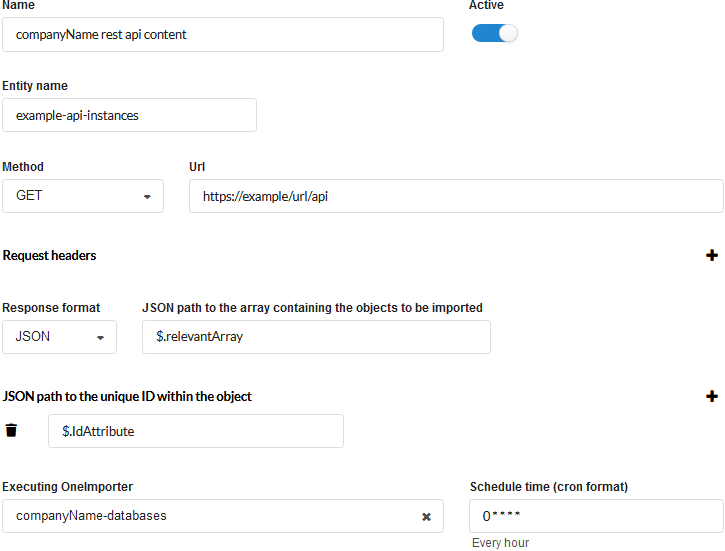 Figure: Example of a Versio.io REST API configuration
Example
The Versio.io OneImporter imports the generic REST API content based on a specific configuration and stores the different instances in entities defined by you. To view the imported instances in Versio.io, you can select 'Asset & Configuration Repository → Instance Viewer'. There you can select your specific instance and click it for a detailed view in the instance history viewer.
The following image is an example of imported generic REST API content:
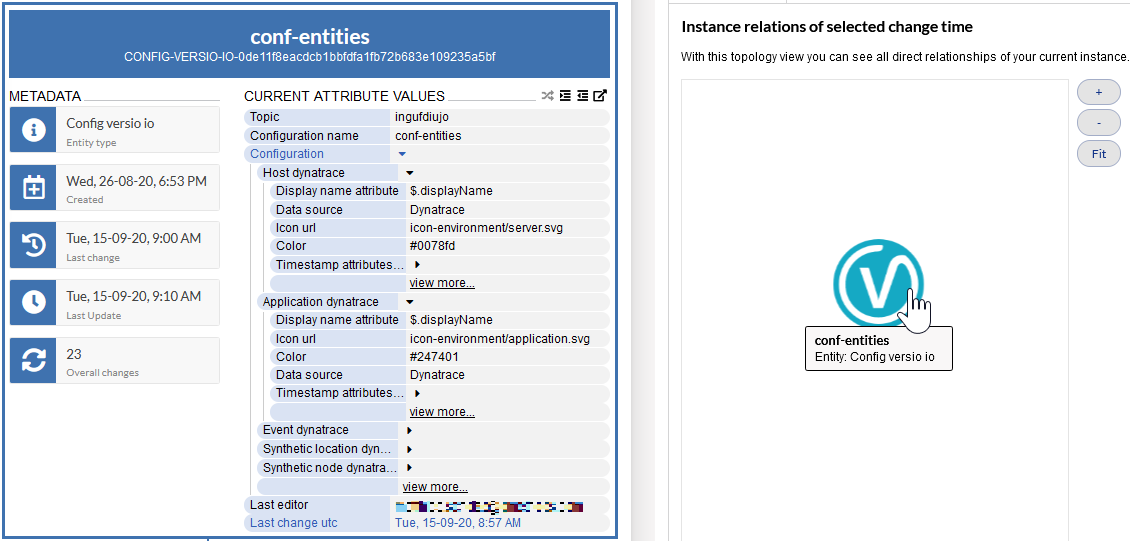
Figure: Overview of a Versio.io generic REST API content instance (left) and topology of related instances (right)